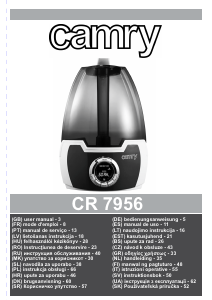
Rokasgrāmata Camry CR 7956 Gaisa mitrinātājs

Nepieciešama rokasgrāmata savam Camry CR 7956 Gaisa mitrinātājs? Zemāk var apskatīt un bez maksas lejupielādēt PDF rokasgrāmatu latviešu valodā. Šim produktam pašlaik ir 2 bieži uzdotie jautājumi, 1 komentārs un 2 balsis ar vidējo produkta vērtējumu 50/100. Ja šī nav jūsu vēlamā rokasgrāmata, lūdzu, sazinieties ar mums.

Vai jūsu produkts ir bojāts, un rokasgrāmatā nav sniegts risinājums? Dodieties uz Repair Café, lai veiktu bezmaksas remontu.

Rokasgrāmata

Loading…

dangerous temperature rise and can damage the device. Always connect the power
adaptor cable to the device, and then connect the power adaptor to the power socket.
22. Never turn on a humidifier if it is not filled with water.
23. Use only clean, cold distilled water.
24. Do not add drugs or chemical substances to the tank, base or vapor outlet. Do not add
aromatic oils, salt, decalcifying tablets, powders or cleaning agents to water.
25. Water tank cap should always be tightly screwed.
26. Make sure that the water mist outlet is not aimed directly at the walls, furniture,
electrical outlets, electrical and electronic equipment and children.
27. Do not block the device ventilation. Keep at least 20 cm free space around the device.
Do not block the water mist outlet.
28. Do no use the device if there is risk of developing condensation. Moisture may occur on
the external or internal device parts if:
– the device is moved from a cold to a warm place,
– the heating system has just been turned on,
– the device is being used in a high moisture area,
– the device is cooled by the air conditioning cooling system.
If the unit may not operate properly if it develops moisture condensation; in extreme cases
it can become damaged. In such case, do not use the device and leave it to dry for a few
hours.
29. Do not tilt or overturn the device and do not attempt to add or drain water when the
device is operating.
30. Do not remove the tank from the device base during the device operation.
31. Do not touch the device with wet hands.
32. The filled tank is heavy. When moving it, support it also from the bottom.
33. Do not use the humidifier when you see the water leak at the bottom.
34. Do not leave water in the humidifier it is not in use.
35. Clean the humidifier after each use. Follow the cleaning recommendations in this
instruction.
36. Never let the tank in the humidifier base develop sediment, moisture or gather water (it
could contaminate or even damage the ultrasonic nebulizer).
37. When the device is operating for a long time, the water mist emitted by the humidifier
can settle on the floor and make it wet.
38. Too much humidity in the room can lead to moisture accumulation causing the growth of
bacteria and fungi and damage to walls, furniture and wallpaper.
39. Do not lift the water tank with the water mist outlet.
40. Do not submerge the base of the humidifier.
DESCRIPTION OF THE DEVICE (fig A)
1. Water mist outlet 2. Water tank
3. Base 4. Control panel
CONTROL PANEL (diagram B)
1. ON/OFF button 2. RESET button
3. MIST button 4. Humidity icon
5. ANION button 6. HUMIDISTAT button
7. TIMER button 8. “Waterless” icon
9. Ionization icon 10. Humidity and time indicator
11. Humidity level Indicator
USING THE DEVICE
1. Make sure that the humidifier is unplugged. Add water to the tank (A2) only when the device is not connected to power.
2. Remove the water tank (A2), unscrew the water filler and will the tank with cold distilled water.
3. Wipe the tank with dry cloth until its dry and put it on the base.
4. Connect the device to power. The display panel (A4) will light up for two seconds, then it will go out. The humidifier will wait for the
setting mode.
Delayed start: Allows for setting off the start time in a certain number of hours. Press the PRESET button (B2) to set the number
of hours. Each time you press the button (B2) the hour increases by one. The maximum start delay is 24 hours. The “0” setting
cancels the delayed start.
Continuous operation: Start the humidifier by pressing the ON/OFF (B1) button. The humidity icon (B4) will light up showing the
current humidity level (B10) in the room. To change the humidity level press the MIST button (B3). Adjusting the humidity level is
a 4-step operation; each pressing of the button (B3) changes the humidity by 1 degree. The humidity level is shown on the
humidity level indicator (B11).
Delayed stop: to program turning off the device after a certain time, press the TIMER (B7) button when the device is on. Each
4
Lejupielādēt rokasgrāmatu latviešu valodā (PDF, 3.92 MB)
(Apsveriet ietekmi uz vidi un drukājiet šo rokasgrāmatu tikai tad, ja tas patiešām ir nepieciešami)

Loading…

Vērtējums

Paziņojiet mums, ko jūs domājat par Camry CR 7956 Gaisa mitrinātājs, novērtējot produktu. Vai vēlaties dalīties pieredzē ar šo produktu vai uzdot jautājumu? Ievadiet savu komentāru lapas apakšdaļā.
Vai esat apmierināts ar Camry CR 7956 Gaisa mitrinātājs?
50%
50%
2 vērtējumi

Pievienoties sarunai par šo produktu

Šeit varat dalīties savās domās par Camry CR 7956 Gaisa mitrinātājs. Ja jums ir jautājumi, vispirms rūpīgi izlasiet rokasgrāmatu. Rokasgrāmatu var pieprasīt, izmantojot mūsu saziņas veidlapu.

Karol Bukvay 09-01-2022
Rokasgrāmatā nav minēti filtri, kas ir integrēti ūdens tvertnes vāciņos.Galvenokārt, cik bieži tas jāmaina un kur nopirkt.

atbildēt | Tas bija noderīgi (1) (Tulkojis Google)

Vairāk par šo rokasgrāmatu

Mēs saprotam, ka ir patīkami, ka jūsu Camry CR 7956 Gaisa mitrinātājs ir papīra rokasgrāmata. Jūs vienmēr varat lejupielādēt rokasgrāmatu no mūsu vietnes un pats to izdrukāt. Ja vēlaties saņemt oriģinālo rokasgrāmatu, iesakām sazināties ar Camry. Viņi varētu nodrošināt oriģinālu rokasgrāmatu. Vai meklējat sava Camry CR 7956 Gaisa mitrinātājs rokasgrāmatu citā valodā? Izvēlieties vēlamo valodu mūsu mājaslapā un meklējiet modeļa numuru, lai redzētu, vai tas ir pieejams.

Specifikācijas

Zīmols Camry
Modelis CR 7956
Kategorija Gaisa mitrinātāji
Faila veids PDF
Faila lielums 3.92 MB

Visas rokasgrāmatas par Camry Gaisa mitrinātāji
Citas Gaisa mitrinātāji rokasgrāmatas

Bieži uzdotie jautājumi par Camry CR 7956 Gaisa mitrinātājs

Mūsu atbalsta komanda meklē noderīgu informāciju par produktu un atbild uz bieži uzdotajiem jautājumiem. Ja atrodat ko nepareizu bieži uzdotajos jautājumos, informējiet mūs, izmantojot saziņas veidlapu.

Pie kāda mitruma ir laba ideja izmantot gaisa mitrinātāju? Apstiprināts

Ja iekštelpu mitrums ir 50% vai zemāks, var noderēt mitrinātājs.

Tas bija noderīgi (371) Lasīt vairāk

Kāds ir ideālais mitrums dzīvojamai telpai? Apstiprināts

Ideālais mitrums mājā ir no 40 līdz 60%. Augstākā vai zemākā gaisa mitrumā sēnītes, baktērijas un vīrusi var attīstīties, un jūs varat izjust personisku diskomfortu.

Tas bija noderīgi (203) Lasīt vairāk
Rokasgrāmata Camry CR 7956 Gaisa mitrinātājs

Saistītie produkti

Saistītās kategorijas

×
Download