Rokasgrāmata EmGo TR-533G Skaļrunis

Nepieciešama rokasgrāmata savam EmGo TR-533G Skaļrunis? Zemāk var apskatīt un bez maksas lejupielādēt PDF rokasgrāmatu latviešu valodā. Šim produktam pašlaik ir 5 bieži uzdotie jautājumi, 1 komentārs un 0 balsis. Ja šī nav jūsu vēlamā rokasgrāmata, lūdzu, sazinieties ar mums.

Vai jūsu produkts ir bojāts, un rokasgrāmatā nav sniegts risinājums? Dodieties uz Repair Café, lai veiktu bezmaksas remontu.

Rokasgrāmata

Loading…

for success connecting.
5. You can control the playback your favorite MP3 music les, or transmit audio
for the video played on your device. After pairing you can also use the TR-533
to control your device (phone, tablet, etc.). Use the control buttons “Next”
and“Previous” to scroll between tracks, press “Vol +” and “Vol-” to control the
volume and press “Play/Pause” to pause playback.
6. TR-533 device can also operate as a hands-free device for receiving phone
calls (only in range of the connected paired telephone). During incoming
call TR-533 announces the caller’s number.
- Press the “Mode” button to answer a call
- Press the “Next button to hang up
- Press the “Play/Pause” to reject the call
Note:
The device will also be disconnected when the device is moved beyond
theoperational range.
If you want to reconnect the device to the unit, place it within the operational
range.
The operational range between this unit and a Bluetooth device is approximately
10 meters.
Before you connect a Bluetooth device to this unit, familiarize yourself with
theBluetooth capabilities of the device.
Compatibility with all Bluetooth devices is not guaranteed.
Any obstacle between this unit and a Bluetooth device can reduce the oper
-
ational range.
Keep this unit away from any other electronic device that may cause interference.
Tip:
If you are unable to connect your device to the TR-533, please erase all stored
settings of all previously paired devices in your telephone/tablet (even those
that are not currently in range). Turn o Bluetooth/turn on Bluetooth and try to
nd Bluetooth devices around.
Connection to the TR-533 does not require a PIN.
Radio
1. Select Power ON/OFF SWITCH to ON.
2. After switching on the device is always on in Bluetooth mode.
3. Press “MODE” button to select the Radio function. The LED display will show
the FM radio frequency and will speak ”FM Tuner”
4. After switching TR-533 into FM tuner mode, the radio will start automatically
play the last selected radio station. To tune other radio stations, press the“Next/
Previous” (for higher or lower frequency) button for min. 2 seconds.
5. Adjust the sound volume by rotating Volume control (buttons Vol+/ Vol-).
Automatic tuning of radio stations
1. To start the automatic tuning and storing of found channels shortly press
“MODE” button. The receiver will automatically scans the entire FM band and
automatically save all found stations.
2. To switch between saved presets shortly press button “Next/Previous”.
USB, microSD/TF Card PLAYBACK
TR-533 is able to decode and playback all MP3 les stored in the memory media
with USB connector and microSD/TF Card.
1. Turn the power switch ON/OFF.
2. Before inserting a USB device into the USB port, make sure that you have turned
it with the correct side to the contacts in USB port. Insert microSD/TF card into
card slot straightly, limit deection of cards (contact cards towards the speaker).
3. Press the “MODE” button to activate the playback from USB/microSD card. LED
display shows “Lod” and TR-533 announces “Music”. On the LED display it shows
“USB” or “CARD”, according to the connected device.
4. The system will automatically play all stored MP3 les
5. Use the control buttons “Next” and “Previous” to scroll between tracks, press
“Vol+” and “Vol-” to control the volume and press “Play/Pause” to pause
playback.
WARNING:
Wrongly connect the USB Storage Media, or microSD/TF Card upside down
could damage the unit or the USB Storage Media or microSD/TF Card.
SPECIFICATIONS
Power Output: 1.5 W × 1 RMS
Input Power: DC 5 V
Rechargeable Battery: DC Li-ion 3.7 V 400mAh
PRECAUTIONS
1. Do not expose the unit to extreme temperature nor high humidity to ensure
normal functioning for a long lifetime. For instances, never place the unit
inbathing areas nor around stoves and radiators.
2. If you nd the unit is not working properly, please take it to your nearest services
centre. Do not attempt to repair by yourself.
Lejupielādēt rokasgrāmatu latviešu valodā (PDF, 0.36 MB)
(Apsveriet ietekmi uz vidi un drukājiet šo rokasgrāmatu tikai tad, ja tas patiešām ir nepieciešami)

Loading…

Vērtējums

Paziņojiet mums, ko jūs domājat par EmGo TR-533G Skaļrunis, novērtējot produktu. Vai vēlaties dalīties pieredzē ar šo produktu vai uzdot jautājumu? Ievadiet savu komentāru lapas apakšdaļā.
Vai esat apmierināts ar EmGo TR-533G Skaļrunis?
Novērtējiet šo produktu pirmais
0 vērtējumi

Pievienoties sarunai par šo produktu

Šeit varat dalīties savās domās par EmGo TR-533G Skaļrunis. Ja jums ir jautājumi, vispirms rūpīgi izlasiet rokasgrāmatu. Rokasgrāmatu var pieprasīt, izmantojot mūsu saziņas veidlapu.

Josef Pich 09-07-2021
Man bija TR 533 antena, kā es varu iekļūt kubā?

atbildēt | Tas bija noderīgi (0) (Tulkojis Google)

Vairāk par šo rokasgrāmatu

Mēs saprotam, ka ir patīkami, ka jūsu EmGo TR-533G Skaļrunis ir papīra rokasgrāmata. Jūs vienmēr varat lejupielādēt rokasgrāmatu no mūsu vietnes un pats to izdrukāt. Ja vēlaties saņemt oriģinālo rokasgrāmatu, iesakām sazināties ar EmGo. Viņi varētu nodrošināt oriģinālu rokasgrāmatu. Vai meklējat sava EmGo TR-533G Skaļrunis rokasgrāmatu citā valodā? Izvēlieties vēlamo valodu mūsu mājaslapā un meklējiet modeļa numuru, lai redzētu, vai tas ir pieejams.

Specifikācijas

Zīmols EmGo
Modelis TR-533G
Kategorija Skaļruņi
Faila veids PDF
Faila lielums 0.36 MB

Visas rokasgrāmatas par EmGo Skaļruņi
Citas Skaļruņi rokasgrāmatas

Bieži uzdotie jautājumi par EmGo TR-533G Skaļrunis

Mūsu atbalsta komanda meklē noderīgu informāciju par produktu un atbild uz bieži uzdotajiem jautājumiem. Ja atrodat ko nepareizu bieži uzdotajos jautājumos, informējiet mūs, izmantojot saziņas veidlapu.

Es vēlos pievienot skaļruni savam televizoram, izmantojot HDMI, kuru portu man vajadzētu izmantot? Apstiprināts

Jums ir jāizmanto HDMI-ARC ports, kas ir īpaši paredzēts audio aprīkojuma pievienošanai.

Tas bija noderīgi (1488) Lasīt vairāk

Ko frekvences saka par manu skaļruni? Apstiprināts

Tas norāda frekvenču diapazonu, ko skaļrunis var radīt. Lielāks frekvenču diapazons nodrošinās lielākas skaņas variācijas un radīs augstākas kvalitātes skaņu.

Tas bija noderīgi (795) Lasīt vairāk

Kad mana mūzika ir pārāk skaļa? Apstiprināts

Skaņas, kas pārsniedz 80 decibelus (dB), var sabojāt dzirdi. Skaņas virs 120 dB nekavējoties bojā dzirdi. Bojājuma smagums ir atkarīgs no tā, cik bieži un cik ilgi ir skaņa.

Tas bija noderīgi (477) Lasīt vairāk

Vai Bluetooth darbojas caur sienām un griestiem? Apstiprināts

Bluetooth signāls darbosies caur sienām un griestiem, ja vien tie nav izgatavoti no metāla. Atkarībā no sienas biezuma un materiāla signāls var zaudēt spēku.

Tas bija noderīgi (238) Lasīt vairāk

Līdz kādam trokšņa līmenim tas ir drošs bērniem? Apstiprināts

Bērniem dzirde tiek bojāta ātrāk nekā pieaugušajiem. Tāpēc ir svarīgi nekad nepakļaut bērnus trokšņiem, kas skaļāki par 85 dB. Austiņu gadījumā ir īpaši modeļi bērniem. Skaļruņu vai citās situācijās jums jābūt uzmanīgiem, troksnis nepārsniedz šo līmeni.

Tas bija noderīgi (212) Lasīt vairāk
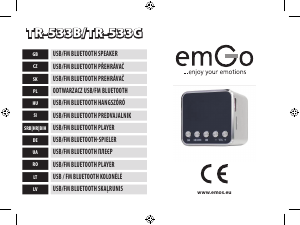
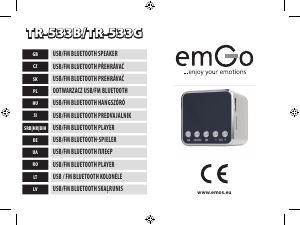
Rokasgrāmata EmGo TR-533G Skaļrunis

Saistītie produkti

Saistītās kategorijas

×
Download