Rokasgrāmata Sharp 32CB2EW Gaismas diožu televizors

Nepieciešama rokasgrāmata savam Sharp 32CB2EW Gaismas diožu televizors? Zemāk var apskatīt un bez maksas lejupielādēt PDF rokasgrāmatu latviešu valodā. Šim produktam pašlaik ir 12 bieži uzdotie jautājumi, 0 komentāri un 1 balss ar vidējo produkta vērtējumu 100/100. Ja šī nav jūsu vēlamā rokasgrāmata, lūdzu, sazinieties ar mums.

Vai jūsu produkts ir bojāts, un rokasgrāmatā nav sniegts risinājums? Dodieties uz Repair Café, lai veiktu bezmaksas remontu.

Rokasgrāmata

Loading…
EN
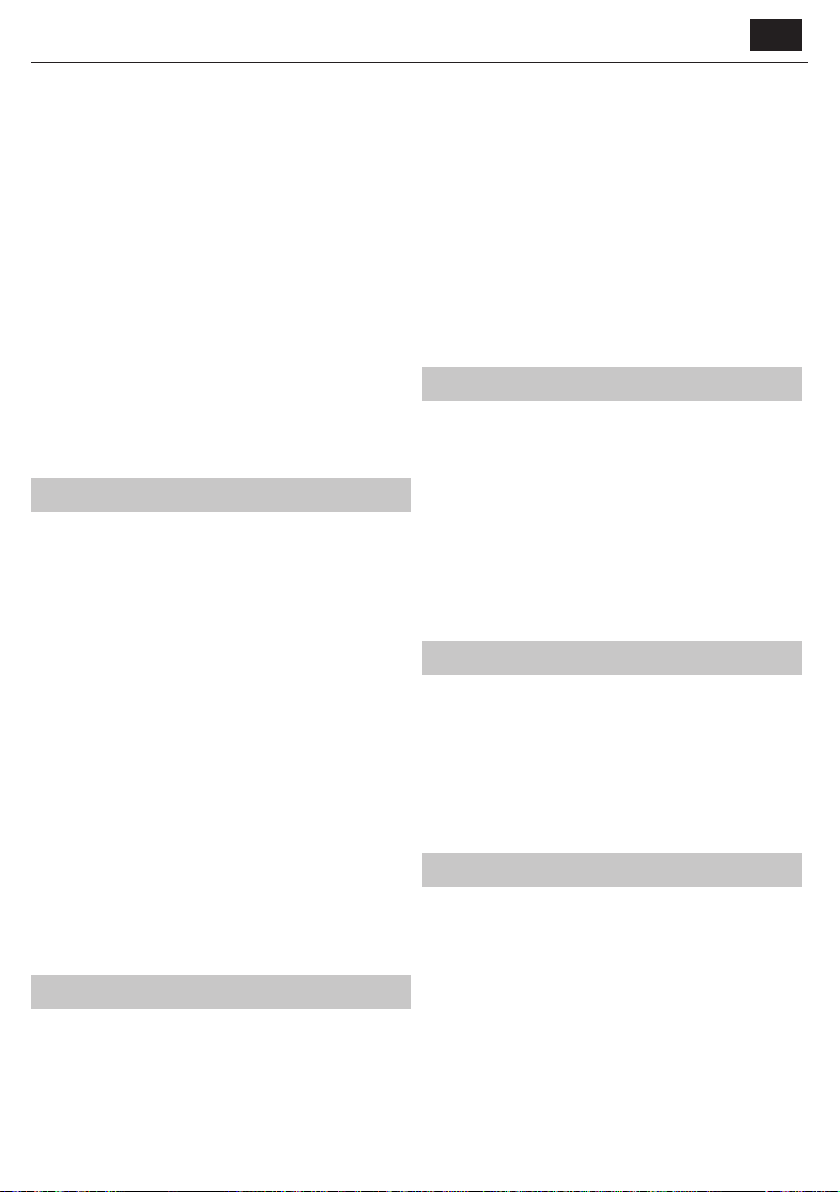
Side bars are shown to ll the 16:9 screen.
ū 16:9 - Fills the screen with a regular 16:9 signal.
ū Zoom 1/2 - The picture is the correct proportion
but zoomed in to ll the screen.
ū Dot by Dot (HDMI) - Will display the picture in its
original resolution without any change.
HDMI Mode - settings for HDMI sources.
ū Auto - recommended option, TV will set best option
based on connected device by HDMI.
ū Video - picture will be with overscan to get
optimal aspect ratio for watching movies.
ū VGA/PC** - picture will be without overscan. Set this option manually
in case part of screen is hidden, after you connect PC to the TV.
PC*
Auto Adjust - Lets you automatically congure the
television to be used as acomputer monitor.
H Oset - Changes the horizontal position of the picture.
VOset - Changes the vertical position of the picture.
Size - increase picture size.
Phase - To adjust delay time of phase in order to reduce the noise of picture
TIP: If the computer is left in-active for aperiod of time, the
television will switch into a‘sleep’ state (the screen will power o
to save power). To switch back on press the standby button.
* - Only on supported devices
Sound
Sound Mode - Choose from the following presets
ū Standard - Default settings
ū Music - Emphasises music over voices
ū Movie - Provides live and full sound for movies
ū Sports - Emphasises sound for sports
ū Personal - Selects your personal sound settings
Equalizer - Adjusts the volume of dierent sound
frequencies. The equalizer sound levels can only be adjusted
when the sound mode ‘Personal’ is selected.
Balance - To switch the sound between the left and right speakers.
Auto Volume Level (AVL) - When on’ is selected, the volume
will stay at aconstant level regardless of input/source.
Surround Sound - Allows you to turn surround sound eect ON or OFF.
Digital Output - This is the digital Audio output.
Choose from the following options:
ū O - O
ū Auto - Selects the best settings automatically
ū PCM - Select this option if you are connecting to aStereo
Hi- via digital cable (Pulse-code modulation (PCM) is
adigital representation of an analogue signal)
SPDIF Delay (ms) - Enables the user to adjust sound setting to sync picture
and audio for external speakers connected via digital audio output.
Audio Delay (ms) - Enables the user to adjust sound
setting to sync picture and audio for TV speakers.
Audio Description - Additional sound track for visually impaired.
Available only on selected DTV shows.
ū AD Volume - to adjust volume of Audio Description sound track
Channel
Auto Tuning - Allows you to retune the television for all digital
channels, digital radio stations and analogue channels.
Analogue Manual Tuning - Allows you to
manually tune your analogue signal.
Digital Manual Tuning - Allows you to manually tune your digital signal.
Channel Edit - Allows you to delete, skip and add favourite channels.
ū Red Button - delete selected channel.
ū Yellow Button - Move selected channel. Go with cursor to
channel, which you wish to move to dierent position, then
press YELLOW button. Now move selected channel with UP/
DOWN arrow to desired position and press YELLOW button
again to conrm its new position in channel list.
ū Blue Button - Skip selected channel. Channels selected to Skip
will not be displayed while pressing CH+ or CH- buttons.
Schedule List - Lists your programme reminders.
Signal Information - Information about DVB signal.
CI Information - Pay per view services require a“smartcard” to be
inserted into the TV. If you subscribe to apay per view service the
provider will issue you with a‘CAM’ and a“smartcard”. The CAM can
then be inserted into the COMMON INTERFACE PORT (CI Card In).
Satellite Setup* - This menu is only available in DVB-S2 mode. You can
select the type of satellite, your transponder and your LNB type, etc.
* - Only for models with DVB-Stuner
Time
Clock - Set the date and time. Date and time is
set up automatically in DVB mode.
O Time - Allows you to set aspecic time for your TV to turn o.
On Time - Allows you to set aspecic time for your TV to turn on, the
channel it will then display, the source it will be on and also the volume.
This function can then be toggled to repeat every day or acertain day.
Time Zone - Change your current time zone.
Sleep Timer - Lets you set the sleep timer so the television
automatically switches o after aset amount of time.
Auto standby - Adjustment for the auto standby in
hourly increments: O -> 3h -> 4h -> 5h.
OSD Timer - Lets you adjust the amount of time the On
Screen Menu stays on the screen before disappearing.
Lock
System Lock - Allows you to lock or unlock the menu. You will be
asked to enter a4 digit password. Use the button to quit the
password input. Use the button to clear. Default password is 0000.
Set Password - Change the default password.
Channel lock - Lock specic TV channels.
Parental Guidance - Lock TV channels based on age restriction.
Key Lock - Lock the TV buttons.
ū O - All TV buttons are unlocked
ū Full - All TV buttons are locked
Settings
Language - Allows you to change the language of the menu.
TT Language - Allows you to change Teletext language.
Audio Languages - Allows you to change audio
language on selected DVB channels.
Subtitle Language - Allows you to change subtitles
language on selected DVB channels.
Hearing Impaired - If signal provides support for the hearing
impaired, the subtitles can be played by pressing the “Subtitle”. If
you set Hearing Impaired ON and switch to achannel with supports
for hearing impaired subtitles will be activated automatically.
Blue Screen - Changes the background when there is no input between
transparent and ablue background (Only available on some sources).
First Time Installation - Starts the rst time installation.
Reset TV - This resets the menus to factory settings.
Lejupielādēt rokasgrāmatu latviešu valodā (PDF, 15.01 MB)
(Apsveriet ietekmi uz vidi un drukājiet šo rokasgrāmatu tikai tad, ja tas patiešām ir nepieciešami)

Loading…

Vērtējums

Paziņojiet mums, ko jūs domājat par Sharp 32CB2EW Gaismas diožu televizors, novērtējot produktu. Vai vēlaties dalīties pieredzē ar šo produktu vai uzdot jautājumu? Ievadiet savu komentāru lapas apakšdaļā.
Vai esat apmierināts ar Sharp 32CB2EW Gaismas diožu televizors?
100%
0%
1 vērtējums

Pievienoties sarunai par šo produktu

Šeit varat dalīties savās domās par Sharp 32CB2EW Gaismas diožu televizors. Ja jums ir jautājumi, vispirms rūpīgi izlasiet rokasgrāmatu. Rokasgrāmatu var pieprasīt, izmantojot mūsu saziņas veidlapu.

Vairāk par šo rokasgrāmatu

Mēs saprotam, ka ir patīkami, ka jūsu Sharp 32CB2EW Gaismas diožu televizors ir papīra rokasgrāmata. Jūs vienmēr varat lejupielādēt rokasgrāmatu no mūsu vietnes un pats to izdrukāt. Ja vēlaties saņemt oriģinālo rokasgrāmatu, iesakām sazināties ar Sharp. Viņi varētu nodrošināt oriģinālu rokasgrāmatu. Vai meklējat sava Sharp 32CB2EW Gaismas diožu televizors rokasgrāmatu citā valodā? Izvēlieties vēlamo valodu mūsu mājaslapā un meklējiet modeļa numuru, lai redzētu, vai tas ir pieejams.

Specifikācijas

Zīmols Sharp
Modelis 32CB2EW
Kategorija Gaismas diožu televizori
Faila veids PDF
Faila lielums 15.01 MB

Visas rokasgrāmatas par Sharp Gaismas diožu televizori
Citas Gaismas diožu televizori rokasgrāmatas

Bieži uzdotie jautājumi par Sharp 32CB2EW Gaismas diožu televizors

Mūsu atbalsta komanda meklē noderīgu informāciju par produktu un atbild uz bieži uzdotajiem jautājumiem. Ja atrodat ko nepareizu bieži uzdotajos jautājumos, informējiet mūs, izmantojot saziņas veidlapu.

Kā televizoram pievienot universālo tālvadības pulti? Apstiprināts

Lai pievienotu universālo tālvadības pulti, ir nepieciešams gan tālvadības pults, gan televizora modeļa numurs un zīmola nosaukums. Tālvadības pults rokasgrāmatā ir pieejams zīmolu kodu saraksts un modeļu numuri.

Tas bija noderīgi (5090) Lasīt vairāk

Es vēlos pievienot skaļruni savam LED televizoram ar HDMI, kuru portu man vajadzētu izmantot? Apstiprināts

Jums ir jāizmanto HDMI-ARC ports, kas ir īpaši paredzēts audio aprīkojuma pievienošanai.

Tas bija noderīgi (2375) Lasīt vairāk

Vai ir svarīgi, kuram HDMI portam es pievienoju ierīci? Apstiprināts

Parasti jebkuram HDMI portam varat pievienot ierīci, piemēram, Blu-ray atskaņotāju vai spēļu konsoli. Pēc tam ierīci var izmantot, televizorā atlasot atbilstošo HDMI kanālu.

Tas bija noderīgi (1197) Lasīt vairāk

Kā izmērīt sava LED televizora collas? Apstiprināts

LED televizora collu mērīšana tiek veikta, izmērot attālumu diagonāli starp, piemēram, ekrāna augšējo kreiso stūri un apakšējo labo stūri (nevis malu). Viena colla ir vienāda ar 2,54 centimetru, tāpēc, mērot 99 centimetrus, tas nozīmē, ka jūsu LED televizors ir 39 collas.

Tas bija noderīgi (947) Lasīt vairāk

Vai mana tālvadības pults darbosies arī citos tā paša zīmola televizoru modeļos? Apstiprināts

Bieži vien televizora tālvadības pults darbosies arī uz līdzīgiem viena un tā paša zīmola modeļiem. Tomēr ir neparasti, ka tas darbosies visos šīs markas modeļos. Šim nolūkam ir piemērotākas universālās tālvadības pultis.

Tas bija noderīgi (671) Lasīt vairāk

Kāda ir atšķirība starp LCD un LED? Apstiprināts

Abas metodes izmanto LCD ekrānu, kas pats par sevi neizstaro gaismu. Atšķirība ir apgaismojumā aiz ekrāna. LCD ekrānos to nodrošina CCFL (aukstā katoda dienasgaismas spuldze), un LED izmanto LED gaismas.

Tas bija noderīgi (536) Lasīt vairāk

Ko nozīmē HDMI? Apstiprināts

HDMI apzīmē augstas izšķirtspējas multivides interfeisu. HDMI ir savienojums augstas kvalitātes video un audio pārsūtīšanai no vienas ierīces uz otru.

Tas bija noderīgi (457) Lasīt vairāk

Vai es varu pats salabot mirušu pikseļu? Apstiprināts

Pastāv atšķirība starp mirušu pikseli un iestrēgušu pikseli. Iestrēgušais pikselis joprojām ir krāsains, un to var salabot, precīzi piespiežot pikseli, līdz tas atjaunojas. Mirušais pikselis vienmēr ir melns vai balts, un to nevar salabot pats.

Tas bija noderīgi (424) Lasīt vairāk

Kāda ir kontrasta attiecība? Apstiprināts

Kontrasta attiecība norāda, cik tālu baltākais balts ir no melnākā. Kontrasta attiecība, piemēram, 400:1, nozīmē, ka melnākā melnā krāsa ekrānā ir 400 reizes tumšāka nekā baltākā krāsa. Augsta kontrasta attiecība veicina attēla asumu.

Tas bija noderīgi (402) Lasīt vairāk

Kā pareizi tīrīt LED televizoru? Apstiprināts

Izslēdziet televizoru un noslaukiet putekļus un netīrumus no ekrāna ar mikrošķiedras drānu. Neizmantojiet papīru, tas var izraisīt skrāpējumus. Nepiespiediet pārāk lielu spiedienu, pretējā gadījumā varat sabojāt pikseļus. Izmantojiet specializētu mazgāšanas līdzekli vai pagatavojiet to, sajaucot 1 daļu etiķa ar 1 daļu ūdens. Samitriniet drānu ar mazgāšanas līdzekli un notīriet ekrānu. Pārliecinieties, ka audums nav pārāk mitrs. Noņemiet traipus, veicot rotējošas kustības. Nosusiniet ekrānu ar otru mikrošķiedras drānu, lai novērstu svītras.

Tas bija noderīgi (354) Lasīt vairāk

Kāds ir mana televizora optimālais skatīšanās attālums? Apstiprināts

Tas daļēji ir atkarīgs no personīgajām vēlmēm, taču parasti optimālais skatīšanās attālums ir aptuveni 3x lielāks par televizora ekrāna izmēru diagonālē. 60 collu (152 cm) televizoram optimālais skatīšanās attālums būtu 180 collas jeb aptuveni 4,5 metri.

Tas bija noderīgi (353) Lasīt vairāk

Kāpēc blakus cipariem uz tālvadības pults ir burti? Apstiprināts

Dažiem televīzijas iestatījumiem var būt nepieciešams ievadīt burtus. Parasti uz pogas ir trīs burti vai citas rakstzīmes. Ja ir nepieciešama burta ievade, varat nospiest šo pogu vienreiz, lai ievadītu pirmo burtu, nospiest divreiz, lai ievadītu otro burtu, un trīs reizes, lai ievadītu trešo burtu. Tādā veidā tekstu var rakstīt ar minimālu pogu skaitu.

Tas bija noderīgi (353) Lasīt vairāk
Rokasgrāmata Sharp 32CB2EW Gaismas diožu televizors

Saistītie produkti

Saistītās kategorijas

×
Download